.png)


monday Work Management 2026 Roadmap: What New Features Can You Expect?
- Ishani Dhar Chowdhury

- Apr 20
- 7 min read
What upcoming features will be there in monday Work Management by the end of 2026?
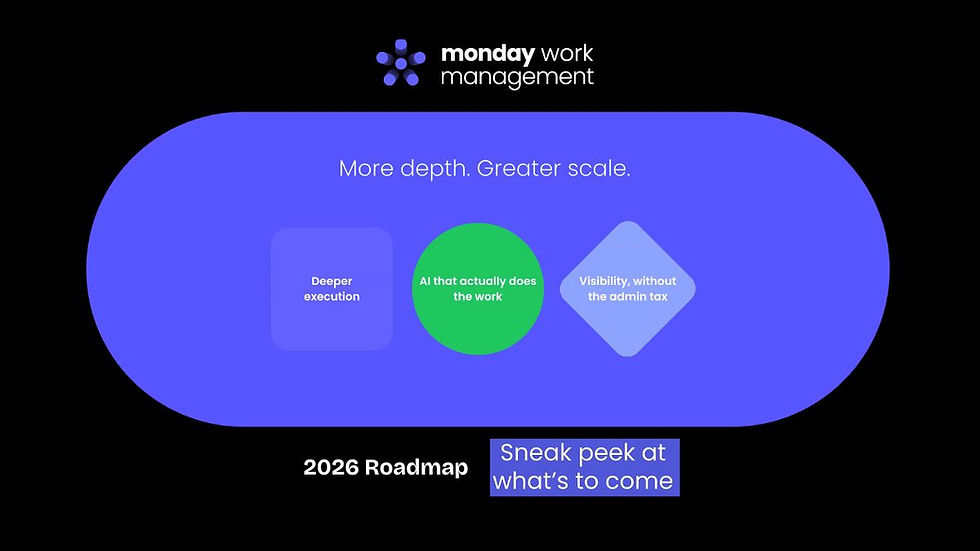
To help users get the most out of the platform, monday.com aims to roll out a couple of Work Management product features. It'll provide more depth and scale.
The monday Work Management 2026 roadmap will give you deeper execution with AI that actually does the work. You'll also gain visibility without paying the admin tax.
Take a look at the top five key capabilities to expect:
Docs Hub: This will be a centralised repository. It'll give users a single source of truth for every document across workspaces, columns, and views.
Portfolio at Scale: Supports portfolios with 1,000 projects. This will enable you to oversee a 360-degree view, allowing teams to maintain specialised workflows with standardised reporting.
Personal Availability: Takes into account individual work schedules and time-off requests. It'll integrate with capacity planning to let managers visualise proper resource planning based on availability.
External Resource Management: Adds guests and external viewers to the Resource Directory. Moreover, it enables allocation tracking without needing extra licences.
Account-Level Resource Utilisation: This will deliver real-time visibility into utilisation across projects. It'll do this with features like grouping by resource attributes and drill-down to the project level.
Do you still face issues with scattered workflows and disconnected systems?
You'll need something that'll optimise project management and ensure real-time resource visibility.
In 2025, the global employee engagement fell by 20%. This cost the world economy about USD 10 trillion in lost productivity.
Indeed, you can no longer ensure a balanced organisational productivity without the right tools. monday Work Management aims to solve this issue. About 250,000 users have reported enhanced workflows, automations, and integrations with this tool.
What if new updates make it even more productive? The project management software industry is witnessing a 15.7% CAGR.
That's why SaaS tools like monday.com need to stay ahead of the competition. Updating and adding new features is the only way to reduce disparities and chaos in this ever-changing market.
In this blog post, we'll discuss the monday Work Management 2026 roadmap shared during a recent webinar. We'll also explore the upcoming updates for monday WorkCanvas.
The State of Work: How Do Structured Workflows Help?

There's an overhead tax for every team. Inter-departmental communication takes up most of the time on every working day. Your team will spend about 57% of their workday communicating with their peers.
There's also very little uninterrupted focus time every week. Similarly, you can end up spending a lot of time searching for information about a certain task.
As a result, your team will be under pressure to deliver more with less. Why? Well, budgets become flat, and your headcount isn't growing.
However, your organisational expectations are evolving. Not enough CFOs expect meaningful employee growth. Only a handful of them say automating processes to free employees for higher-value work is a top priority.
Even then, Deloitte reports that companies are 2.4x more likely to report better financial results with adaptive ways of working. Structure is indeed what makes everything else work.
Thankfully, monday.com ensures structured work remains the foundation, and AI becomes the multiplier. It provides new updates and feature upgrades to help you streamline organisation workflows with AI, automation, and integration.
The monday Work Management 2026 Roadmap: 5 Updates to Look Out For
With 77% of businesses planning to boost technology spending, investing in the right platform has become more critical. The monday.com Work Management roadmap arrives at the perfect moment.
It delivers powerful updates that justify investing in monday WorkOS and transform how modern teams collaborate, execute, and plan. The upcoming updates include the following:
#1. Docs Hub and Repository

monday users can access a centralised Docs Hub using this feature. This acts like a unified repository for all your important company documents in the monday Work Management account.
You'll access any file, irrespective of its location. For example, the document will show up in the Docs Hub even if it's attached to a workspace, view, or column.
The capabilities and use cases of this new file management feature include the following:
All users can eventually access a single source of truth for all types of documentation.
Resolves the frustration users face when content is scattered across various workspaces.
Ensures teams maintain a high-velocity workflow without ever losing out on critical information.
#2. Portfolio at Scale

The next update on the monday Work Management 2026 roadmap will be about project portfolios. With the new portfolio at scale feature update, you can support 1,000 projects.
You can collaborate at scale and execute with confidence. It'll also help you report on organisational success. The use cases include the following:
Executives can oversee a scaled 'big picture' view across the organisation.
Support multiple project templates simultaneously.
Allows teams to maintain specialised workflows that fit specific needs.
Bridges diverse workflows with executive needs.
Enforces standardisation for cohesive, out-of-the-box reporting.
#3. Personal Availability

monday.com capacity planning displays your team's daily, monthly, and weekly availability through Workload Widgets. Within the next few months, the platform will improve accuracy in capacity planning.
With the personal availability option, you can integrate individual work schedules and time-off requests. For instance, project managers cannot assign work to you if you're not available.
The capabilities of this monday Work Management 2026 update include the following:
Customise your team's work schedules by resource to improve overall planning.
Enable managers and their team members to manage personal availability.
Visualise time off in all resource management surfaces.
Consider personal leave during utilisation calculations.
#4. External Resource Management
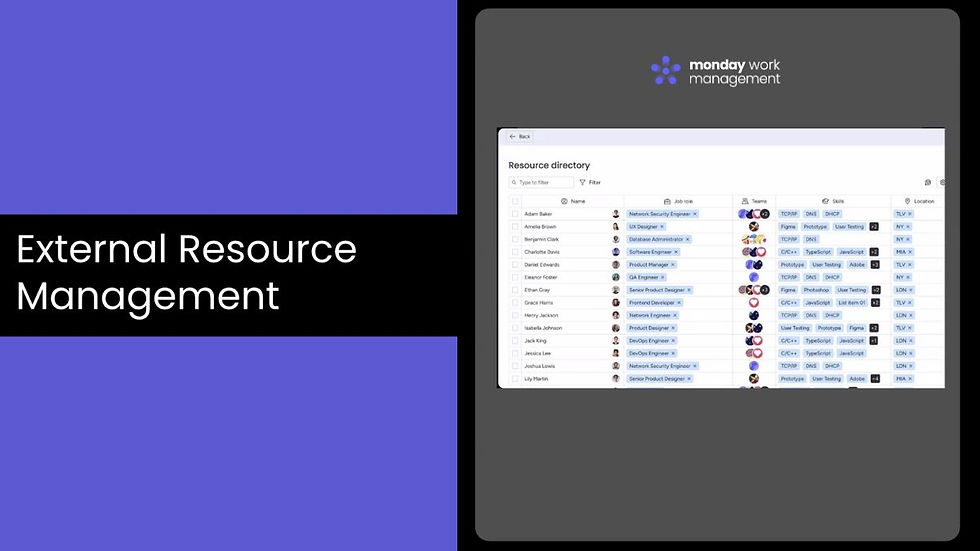
You can eventually manage guests and viewers as resources with the external resource management feature update. This monday Work Management 2026 roadmap update will help assign and track work for every project contributor, be it internal or external.
The use cases include the following:
Add viewers and guests to your monday.com Resource Directory.
Centralise all project contributions without having to add extra licences.
Assign project allocations to guests and viewers to track their availability.
#5. Account-Level Resource Utilisation

This monday Work Management update will help you get a 360-degree account-level visibility into total resource usage across all assigned tasks. This account-level resource utilisation will ensure no team member is stretched too thin or left underutilised.
The capabilities of this feature include the following:
View real-time resource utilisation across all your projects in the monday account.
Group utilisation by resource attributes to help highlight organisational trends.
Analyse the aggregated data and drill down to project levels for informed decisions.
The Future of WorkCanvas: 2026 Updates

Yahoo Finance reports that the interactive whiteboard market will reach USD 8.44 billion by the end of 2032. This proves the growing demand for such software.
monday WorkOS also has an ultimate whiteboard for their users: WorkCanvas. In 2026, it's evolving with powerful new updates designed to enhance visual collaboration and streamline ideation.
Do you want to empower your team to brainstorm, plan, and execute creative workflows? Here is the monday WorkCanvas 2026 roadmap:
#1. Canvas Native in monday.com
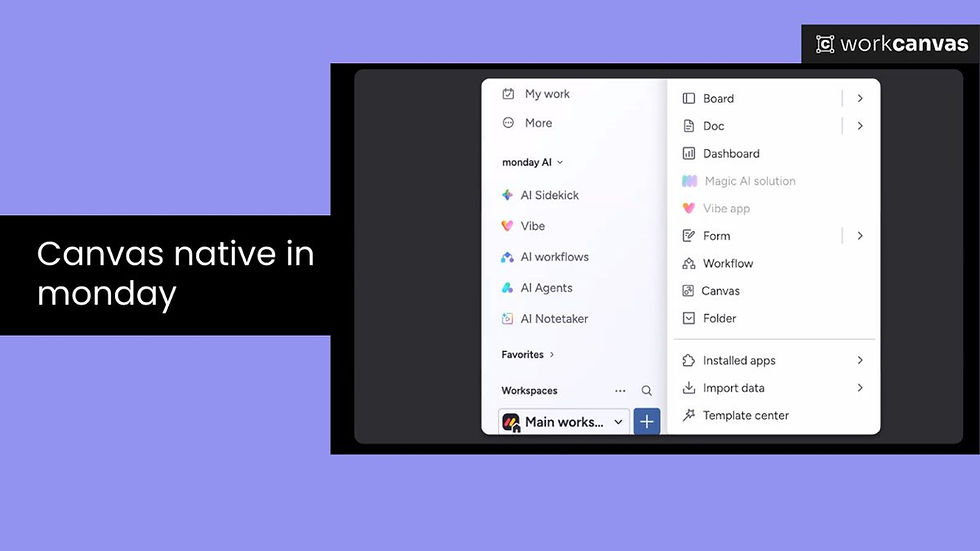
You'll get the full WorkCanvas experience directly inside the monday.com workspace. Earlier, the canvas was an external tool.
With this native feature, users can now create, edit, and view infinite whiteboards directly on the platform. You can find this in the left sidebar or a separate board view.
The benefits of this monday WorkCanvas update include the following:
Feature bridges the gap between unstructured brainstorming and structured execution.
Allows teams to convert visual sticky notes and shapes into live monday.com items without switching tabs.
#2. New monday WorkCanvas Design

monday WorkCanvas has got a unique facelift. The layout has changed, and you'll love the accessibility.
The main creation toolbar has been moved to the bottom centre. Other core tools, such as templates, widgets, and shapes, have been organised into a clearer menu.
The benefits of the new WorkCanvas design are:
Removes visual clutter.
Provides a focused and distraction-free experience.
Places the most used capabilities where users can easily find them.
#3. Generate WorkCanvas Templates with AI

The strong capabilities of monday AI have found their way into WorkCanvas. With the AI Template Agent, WorkCanvas users can bypass the 'blank canvas' phase.
All you have to do is prompt a simple natural language description. That will allow instant generation of the ideal template structure. However, you can only access this if you're using WorkCanvas within monday.com.
The benefits of using AI in WorkCanvas are the following:
Simplified setup process.
Teams can go from a vague idea to a fully editable canvas.
Get a professional layout in seconds.
Accelerate time-to-value.
#4. WorkCanvas and monday Integration Permission Changes to User Level

Granular permissions in monday.com have always been great to protect digital assets, systems, and networks. Now, there are new user-level permissions for WorkCanvas.
This ensures every user can only see data in WorkCanvas that they are authorised to view. Permissions will be the same as set on your monday account.
The benefit? Mirroring native monday WorkOS permissions within WorkCanvas:
Eliminates data leakage risks.
Enables secure and compliant collaboration across teams.
Important Note: The information shared is not a commitment to deliver any specific feature or functionality. It's intended to share information about the current vision and future releases.
The Endnotes
Statistics suggest that 82% of companies use work management tools to drive organisational efficiencies. The monday Work Management 2026 roadmap signals a clear commitment to solving modern workplace challenges at scale.
The new updates can eventually help with centralising document repositories, account-level resource utilisation, and more. Moreover, each WorkCanvas update mentioned will address real pain points your team faces daily.
According to BusinessWire, monday Work Management was recognised as a Leader in the 2025 Gartner Magic Quadrant for the third consecutive year. This was for Collaborative Work Management.
Global productivity is losing momentum, leading to market accelerations in the project management software. That's why platforms like monday.com have to evolve proactively to define the future of work.
FAQs
Can small businesses use monday Work Management?
Yes, monday WorkOS will scale across business sizes. It offers flexible pricing plans and customisable workflows. This makes the platform equally effective for startups and growing small-to-medium enterprises.
Is the data stored in monday Work Management secure?
monday Work Management follows a strict enterprise-grade security standard across various regions. For example, the platform is GDPR-compliant, SSO-certified, and supports two-factor authentication. With regular internal audits, the monday.com team ensures your organisational data remains protected.
Should you hire a monday.com consultant?
To implement monday Work Management for complex workflows and custom automations, collaborate with a monday.com expert. Certified monday consultants such as Fruition will specialise in tailoring monday.com to your unique business needs. The team at Fruition will accelerate onboarding by reducing setup errors and maximising long-term platform ROI.
What is monday WorkCanvas used for?
monday WorkCanvas is a visual collaboration tool. It acts as a whiteboard that enables teams to map workflows and plan projects. You can use this feature to brainstorm ideas in real time by using an infinite, interactive canvas.