.png)


monday Service Multi-Portal Solution: Create Up To 500 Customer Portals in 2026
- Ishani Dhar Chowdhury

- Feb 27
- 6 min read
What is the Multiple Customer Portals feature in monday Service?
The monday Service multi-portal solution is an exclusive Enterprise Plan feature. It allows organisations to create and manage multiple Customer Portals within a single account.
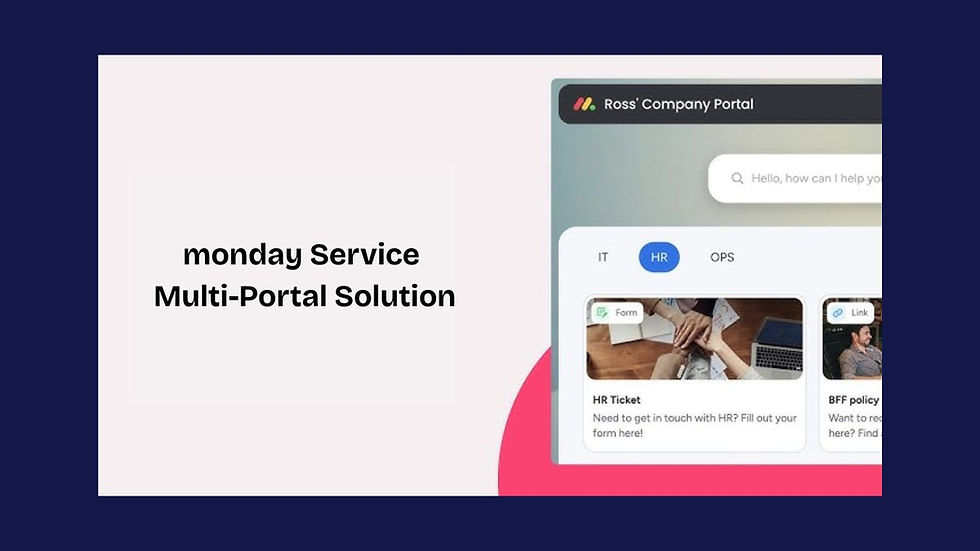
Each of them will have its own custom branding, request forms, unique URL, knowledge base articles, SLAs, and access controls. On average, a single account can have up to 500 portals.
This feature supports both internal teams and external audiences. For example, the multi-portal solution in monday Service will connect the facilities team with suppliers, the HR team with partners, and the IT team with clients. That ensures the right people will access the right resources.
All portals will be fully permission-controlled, customisable, and independently managed. Account admins in monday.com and portal owners can control settings and visibility. For example, setting portals to Private mode.
monday Service multi-portals will also include ticket tracking, announcement banners, the My Tickets section, and more. This makes self-service scalable and offers complete support management.
Do you manage multiple clients, business units, and departments? All of them can soon start demanding their own dedicated support experience.
The reason? Fragmented data, a lack of proper communication for problem-solving, and disconnected service workflows.
To solve this, you'll have to find a platform that delivers consistent and tailored support across every audience. Thankfully, the monday Service Multi-Portal solution can help.
Statista reports that fragmented service management has become a growing crisis. About 88% of customers expect companies to offer online self-service portals. Even then, most businesses rely on a single, generic portal that fails to cater to diverse audiences.
So, how does monday Service solve this? By allowing organisations to create 500 unique portals with their own branding, knowledge base, request forms, access controls, URLs, etc.
In this blog post, we'll learn about Multiple Customer Portals in monday Service that serve internal teams and external clients at the same time.
What's the monday Service Multi-Portal Solution?
Do you have monday Service on an Enterprise Plan? If yes, then you can now create multiple Customer Portals for all your teams.
In the early weeks of February 2026, monday.com released the 'Multiple Portals' feature within the product. This enhancement allows users to create at least 500 distinct and customisable portals within a single account.
Each monday Service Customer Portal will have its own content, access controls, branding, etc. That means the right people will always see, use, and collaborate with the right resources.
With this multi-portal solution, businesses can support different audiences. For example, distinct internal departments, various external client groups, and more.
Salesforce reports that helping customers help themselves has twofold benefits. One, it allows them to research and find answers conveniently. Second, it saves resources, time, and money for customer service teams.
Support Multiple Audiences with monday Service Portal

You can now create additional Customer Portals to support specific teams and external audiences. This will be on top of the original Customer Portal. To access the main hub, click on the globe icon in the left pane.
Each of these additional portals offers the same customisation options and functionality as the main one. This is a new monday Service update that will help you manage internal teams and external stakeholders better.
Your teams and external audience groups can access their own portal with:
Separate forms.
Knowledge base.
Content.
SLAs.
Access settings.
Either way, every new monday Service multi-portal you create will be fully customisable, permission-controlled, and branded to match your business needs. Currently, the maximum number of Customer Portals per account is limited to 500.

The Basic Features of the monday Service Multi-Portal Solution
Initially, the monday Service Customer Portal only allowed a single, unified hub for all queries. But now Enterprise users can build up to 500. Each of these portals will exist independently within your account.
This gives your support team more flexibility, opening up new ways to manage internal and external queries. Other features of the monday Service Multi-Portal solution include:
Up to 500 Customer Portals: The maximum number of multi-portals you can create per monday.com account.
Unique URLs: Each of these 500 portals will require its own unique URL used to access it.
Individual Branding and Content: These portals will have their own branding, content, and access controls, ensuring the right people can use the right resources.
My Tickets Section: The 'My Tickets' section in the monday.com Customer Portal provides a centralised personal view of open support requests for each requester.
Separate Forms and Knowledge Base: Manage internal teams and work with external audiences with separate forms, SLAs, access settings, and a knowledge base.
Portal Owner and Permission Management: Account admins and portal owners (creators) can edit security settings.
Authorised Domain Access: Allows users with approved domain emails to register on their own. Anyone with a matching email address gets a login link.
Independent External URL: The Multiple Customer Portals will act as websites with independent URLs external to monday.com. Visitors won't need monday accounts.

This new update in monday Service is exclusive for Enterprise plan holders. If you want to upgrade, reach out to Fruition. Being an Advanced Delivery Partner, we can analyse your monday Service needs and give you an Enterprise Plan quote.
monday Service Multi-Portal Solution: Create and Manage
Teams can follow these steps to create and manage multiple Customer Portals in monday Service.
Creating a New Portal

Click + in the left pane.
Hover over Service Templates.
Select Portal.
Set a unique URL.
Once created, the monday Service Customer Portal will appear in the workspace where you've added it. Here, your team can customise the portal settings if needed. You can also share it by copying the URL from the 'Customise' tab.

By clicking the 'Invite' icon, you can give your team members access. Type their name or email to invite. By default, the Portal creator will be the first owner. Each invited user will have a grey crown, and owners will have a blue one.
Managing the Portal

You can manage your monday Service Multi-Portals from the left pane. Here's what you can do by clicking the three-dot menu:
Rename it.
Move it to a different folder.
Send it to a separate monday workspace.
Change its type to private.
Add to favourites for quick access.
Duplicate, delete, and archive it.
Did you know that once you set a monday Service Portal to private, it will restrict access to other account members? This won't affect external users, but manage who controls your Portal from within the account.
Portal Permissions
You can manage portal settings for different user types. Here are the details:
Admin | Owner | Member | |
Content | View | Edit | View |
Customisation | View | Edit | View |
Users | Edit | View | Nothing |
Security | Edit | Edit | Nothing |
This permission setting will help protect your account. This will apply to all additional portals you create in monday Service.
Note that the default portal has different permission settings. Feel free to reach out to Fruition to learn more about user roles and how they apply. As certified monday.com consultants, the team at Fruition can help you configure monday Service Customer Portals to match business needs.
The Bottom Line
According to Grand View Research, the global customer self-service software market was projected to witness a 21.6% CAGR between 2025 and 2030. It's supposed to reach USD 57.21 billion from USD 18.07 billion by then.
monday Service is exactly built for this shift. The Customer Portal feature is its top use case. Why? It has capabilities such as automatic responses, customisability, and seamless communication.
The new monday Service Customer Portal update made this more attractive. With 500 Customer Portal creations, unique URLs, custom branding, SLA policies, and access controls, this became a scalable self-service experience.
Are you ready to set up and optimise your monday Service Customer Portals? As a certified monday.com Platinum Partner, Fruition helped organisations implement tailored solutions.
We can help with portal configuration, automation creation, and integrations for the monday Service multi-portal solution. You can book a free consultation with our monday.com experts today.
FAQs
What is monday Service?
This is a customisable and dedicated service management platform for all industries. It helps teams manage ticketing, SLAs, customer requests, automations, and more. For example, you can connect your IT and HR teams with support operations in a centralised place.
What is the monday Service Customer Portal?
It's a branded self-service hub that you can create within monday Service. Here, customers and employees can submit tickets, browse a knowledge base, get support, and track requests. For instance, this customisable interface promotes self-service, centralises ticket management, offers multi-portal support, etc.
What is the monday Service Multi-Portal Solution?
The Multiple Customer Portal feature in monday Service allows organisations to create up to 500 unique portals. Each of them will have its own branding, URL, SLAs, and access controls. As a result, you can serve different clients, departments, and teams simultaneously.